

This page walks through what your users see, from the quote to the moment they receive their crypto or fiat. The flow depends on
orderType: buy for onramp, sell for offramp. Pick a direction below. Rampnow runs every step for you.- Onramp (buy)
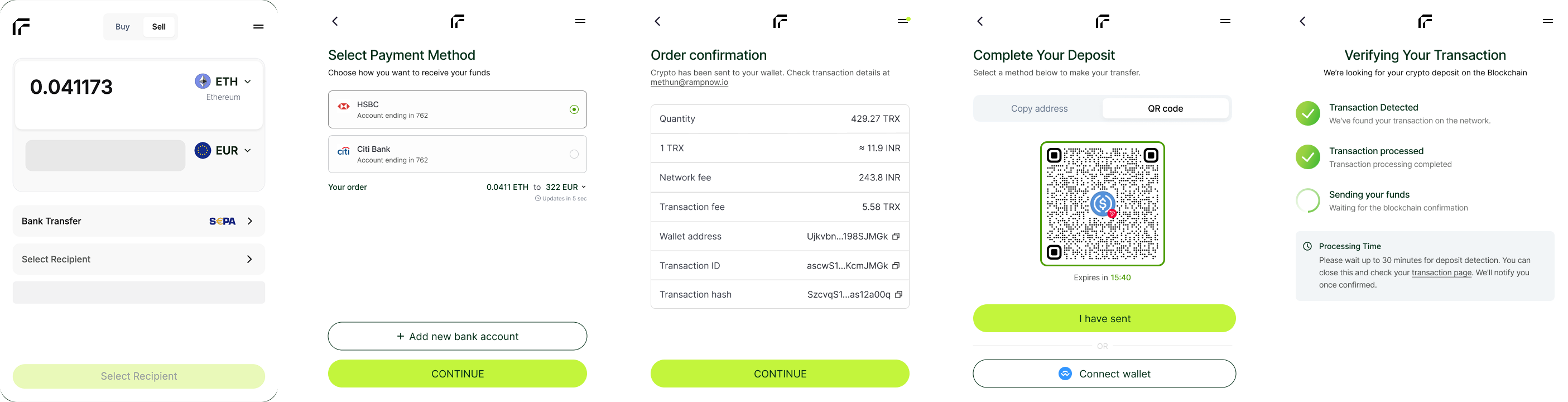
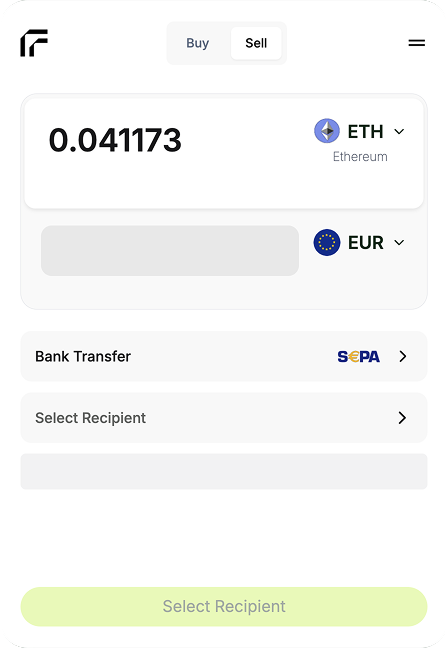
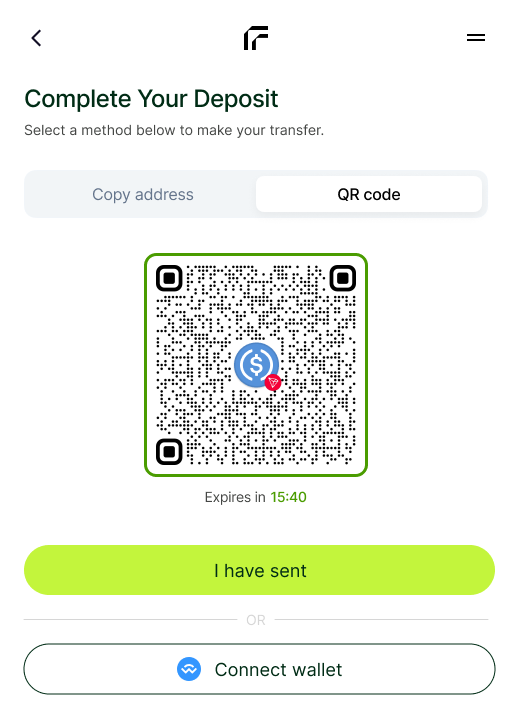
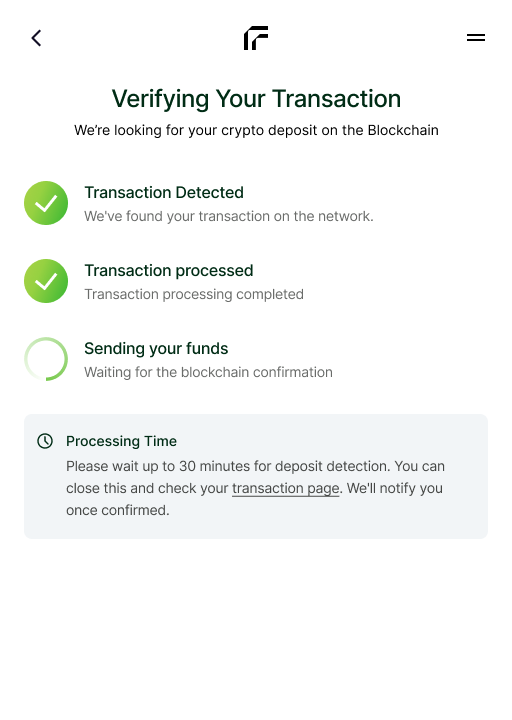
- Offramp (sell)
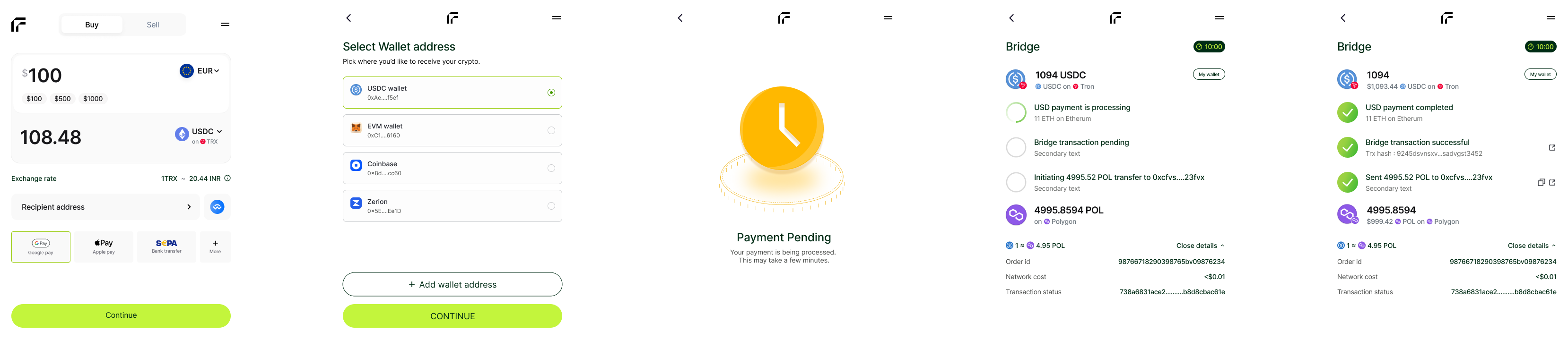
Quote generation
The client requests a quote with purchase parameters.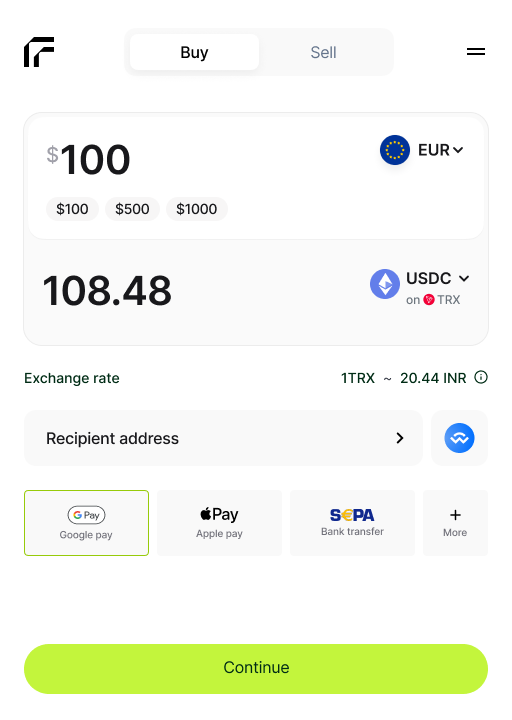
- Fiat currency
- Payment method
- Token & blockchain
- Purchase amount
- Total cost breakdown
- Network fees
- Payment processing fees
- Token amount to receive
Wallet address input
User provides the destination wallet address.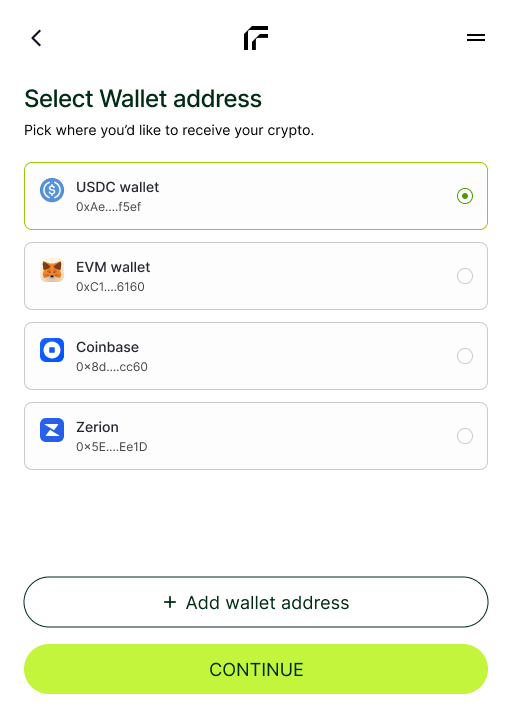
- ✓ Correct blockchain network
- ✓ Account Abstraction
- ✓ Valid checksum format
- ✓ Contract restrictions
- ✓ Valid address format
Users can manually enter an address or connect their wallet directly
Email & OTP verification
Security verification to prevent fraud and ensure account validity.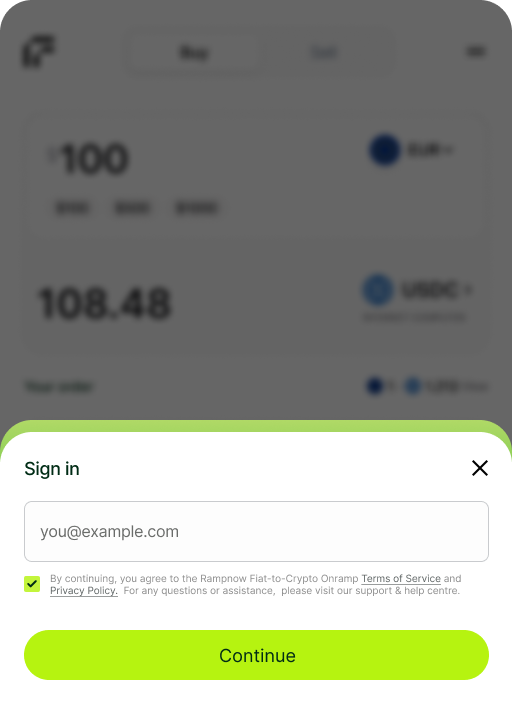
- User enters email address
- OTP code sent to email
- User submits OTP
- Session validated and secured
Payment processing
User completes payment using their preferred method.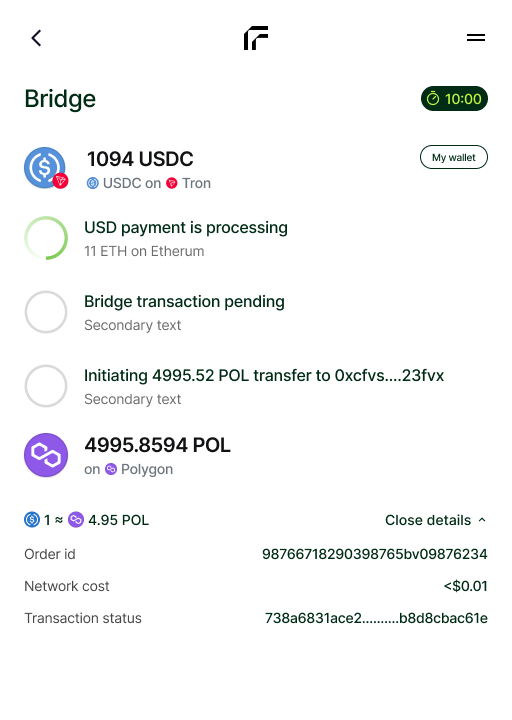
- Cards: Visa, Mastercard (instant processing)
- Bank transfers: SEPA (EU), ACH (US), PIX (Brazil), UPI (India), SPEI (Mexico), Khipu (Chile)
- Digital wallets: Apple Pay, Google Pay, Cash App (US), local APMs
- Real-time webhooks
- API polling
Settlement
Funds are settled and crypto is prepared for delivery.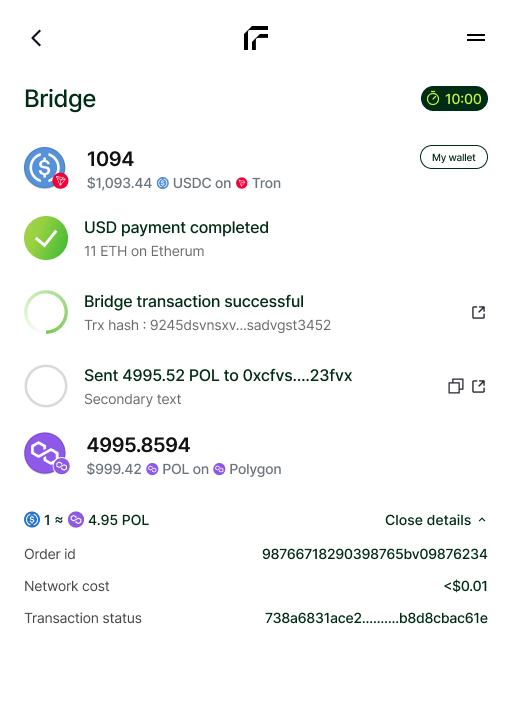
- Payment confirmation received
- Funds settle to banking partners
- Routing engine triggers liquidity movement
- Crypto assets prepared for blockchain delivery
Settlement times vary by payment method (instant to 1-3 business days)
Token delivery
Tokens are delivered to the user’s wallet address.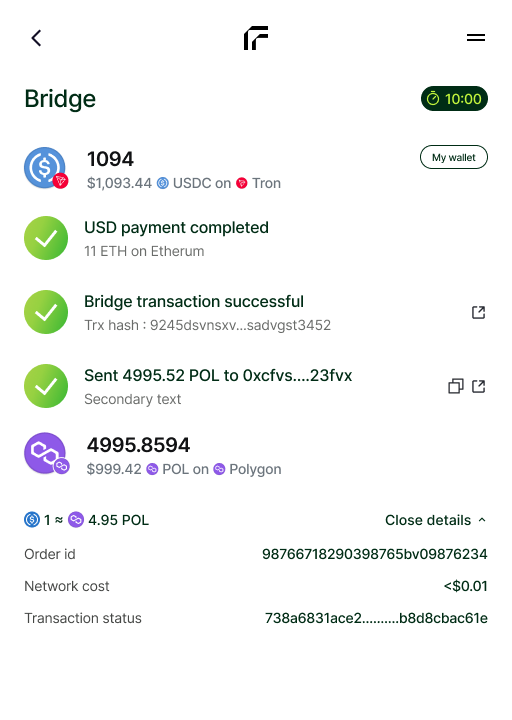
- Transaction broadcast to blockchain
- Network confirmation
- Transaction hash generated
- Final delivery confirmation
Transaction complete! Users can track their tokens on the blockchain explorer.
Order statuses
Buy and sell orders share one set of statuses, delivered on every change by webhook or by polling the order. A successful order goescreated → processing → completed.
See Order Status for every status, which ones are final, and what to do in each.
Integration options
Onramp & Offramp SDK
Open the widget from JavaScript, with events and a React hook
Onramp & Offramp Widget
Embed the complete buy and sell flow with a URL or an iframe
Onramp & Offramp Intent
Create orders from your backend and redirect to the hosted checkout
Next steps
1
Pick your integration
Open Rampnow through the SDK or the Widget, or create orders with Intent. Set
orderType to buy or sell. See Integrations Overview to choose.2
Test in sandbox
Simulate successful, failed and expired orders with testnet tokens. See Sandbox Testing.
3
Handle webhooks
Receive real-time order status updates. See the Webhook Guide.
4
Go live
Check your integration against the Go-Live Checklist.
Ready to integrate?
Follow the Widget quickstart, or the SDK quickstart in the same tab